
Connect Claude
Connect Claude Desktop through mcp-remote, or claude.ai through a remote connector, and let Form.io roles and permissions govern what the agent may do.
Claude can use your forms directly. Connected to the UAG, it lists the uag-tagged forms a user may use, asks for what each one needs, validates the answers against the form, and saves the submission, all as the user who signed in. Nothing about your forms is written into Claude: the form is the rulebook, read at the moment of use.
This page connects two Claude clients, and shows how Form.io roles decide what the agent may do. It follows the custom module sample, a Form.io Open Source project with Customer and Employee resources where managers onboard employees and employees onboard customers. The MCP tools need no license, but the browser sign-in this page uses (MCP_OAUTH) keeps its codes in the UAG's own database, which needs a license that includes the UAG, in LICENSE_KEY.
| Client | How it connects | What the UAG needs |
|---|---|---|
| Claude Desktop (any plan) | A local mcp-remote proxy, started by Claude Desktop, connects to the UAG and runs the login flow in your browser |
Reachable from your machine; localhost is fine |
| claude.ai and Claude Desktop custom connectors (plans with connectors) | Anthropic's servers connect to the UAG over the internet | A public HTTPS URL |
Either way the user signs in through the UAG's OAuth (PKCE) flow, with the project's own login form, and every tool call runs with that user's Form.io permissions. That sign-in is off by default: it needs MCP_OAUTH=true and a database of the UAG's own (MONGO), where it keeps the one-time authorization codes. Clients that run next to the UAG on a server do not use it; they get a token from /auth/token with client_credentials (see MCP tools).
The Agentic Coding Plugin's formio-uag skill writes this setup for you. The plugin's own Form.io MCP server is a different one: your coding agent uses it to build forms, while Claude connects to the UAG's /mcp to fill them in.
Run the sample
The sample runs Form.io Open Source, MongoDB, the UAG, and nginx, which serves Form.io and the UAG on one port, 3000. nginx sends /mcp, /auth and /.well-known to the UAG and everything else to Form.io, so one origin serves the forms, the login page and the MCP endpoint.
git clone -b v2.0.2 https://github.com/formio/uag.git
cd uag/demo/samples/custom-module
# In docker-compose.yml first: replace every CHANGEME (both ADMIN_KEY values must be the same).
export LICENSE_KEY=...          # a license that includes the UAG
docker compose up -d
The UAG's settings in that file:
  formio-uag:
    image: formio/uag
    volumes:
      - ./module:/app/module        # the module: its forms, roles, actions and templates
    environment:
      PROJECT: http://formio.local:3001
      ADMIN_KEY: CHANGEME
      JWT_SECRET: CHANGEME
      LOGIN_FORM: http://localhost:3000/employee/login
      PROJECT_TTL: 10
      LICENSE_KEY: ${LICENSE_KEY:-} # a license that includes the UAG, for the database
      MCP_OAUTH: "true"             # browser sign-in for MCP clients
      MONGO: mongodb://mongo.local:27017
      UAG_DATABASE: uag
      TRUST_PROXY: 1                # behind nginx
MCP_OAUTH turns on the browser sign-in that mcp-remote and Claude's connectors use, and MONGO gives the UAG the database it keeps the sign-in codes in (a database named uag on the stack's MongoDB). A database needs a license that includes the UAG, so set LICENSE_KEY in your shell before docker compose up. Without it the database features, sign-in included, stay off, and the UAG's log says so. The UAG names its own address in the OAuth discovery documents from each request, here through nginx (TRUST_PROXY). LOGIN_FORM is the form the login page loads, here the module's employee login, so the people who sign in are records in the Employee resource.
At startup the UAG installs the module's template: the Customer and Employee resources (both tagged uag), an Employee Login form, and the Manager and Employee roles.
Create a manager and an employee
Open http://localhost:3000, log in as admin@example.com with the Compose file's ROOT_PASSWORD, open the Employee resource and use Enter Data to create two records:
| First name | Last name | Role | Password | |
|---|---|---|---|---|
| Example | Manager | manager@example.com |
Manager | a temporary password |
| Example | Employee | employee@example.com |
Employee | a temporary password |
A Role Assignment action on the resource gives each new record the role selected.
Roles and permissions govern the agent
The agent can do exactly what the signed-in user can do in Form.io, because every MCP tool call runs as that user. The sample's resources grant:
| Resource | Manager | Employee |
|---|---|---|
| Employee | Create, read, update, delete all | None |
| Customer | Create, read, update, delete all | Create, read, update, delete all |
Signed in as the employee, the agent can onboard a customer. Asked to add an employee, it sees from get_forms that the user has no create permission on Employee and says so; if it tried anyway, Form.io would refuse the submission. Signed in as the manager, it can do both.
You configure this with ordinary Form.io submission access on each form or resource:
"submissionAccess": [
  { "type": "create_all", "roles": ["manager"] },
  { "type": "read_all",   "roles": ["manager"] },
  { "type": "update_all", "roles": ["manager"] },
  { "type": "delete_all", "roles": ["manager"] }
]
Because permissions live in the project, the same rules apply to people in the portal, to your applications, and to every agent. There is no separate agent policy to keep in step. With Form.io Enterprise, submission revisions also record which user changed each value.
A user's permissions are the agent's permissions. An agent acting for an administrator can read and change anything in the project. Give agents to users with roles scoped to what they need.
Claude Desktop with mcp-remote
Claude Desktop can run a local MCP server as a command. mcp-remote is a small proxy that connects to a remote MCP endpoint, handles the OAuth flow in your browser, and speaks MCP to Claude Desktop over stdio. Your UAG does not need to be public for this: the proxy runs on your machine.
1. Sign in once from the terminal
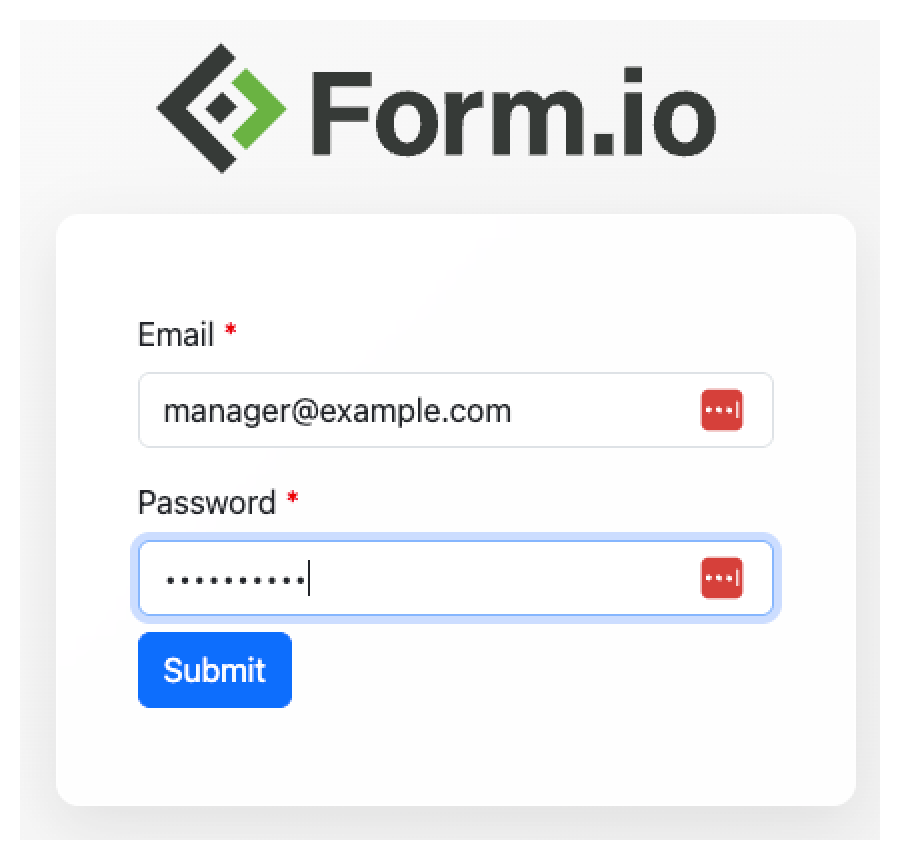
npx mcp-remote http://localhost:3000/mcpYour browser opens the UAG's login page, which loads LOGIN_FORM. Sign in as the manager or the employee.
mcp-remote stores the token under ~/.mcp-auth. To sign in as someone else later, delete it:
rm -rf ~/.mcp-auth2. Add the server to Claude Desktop
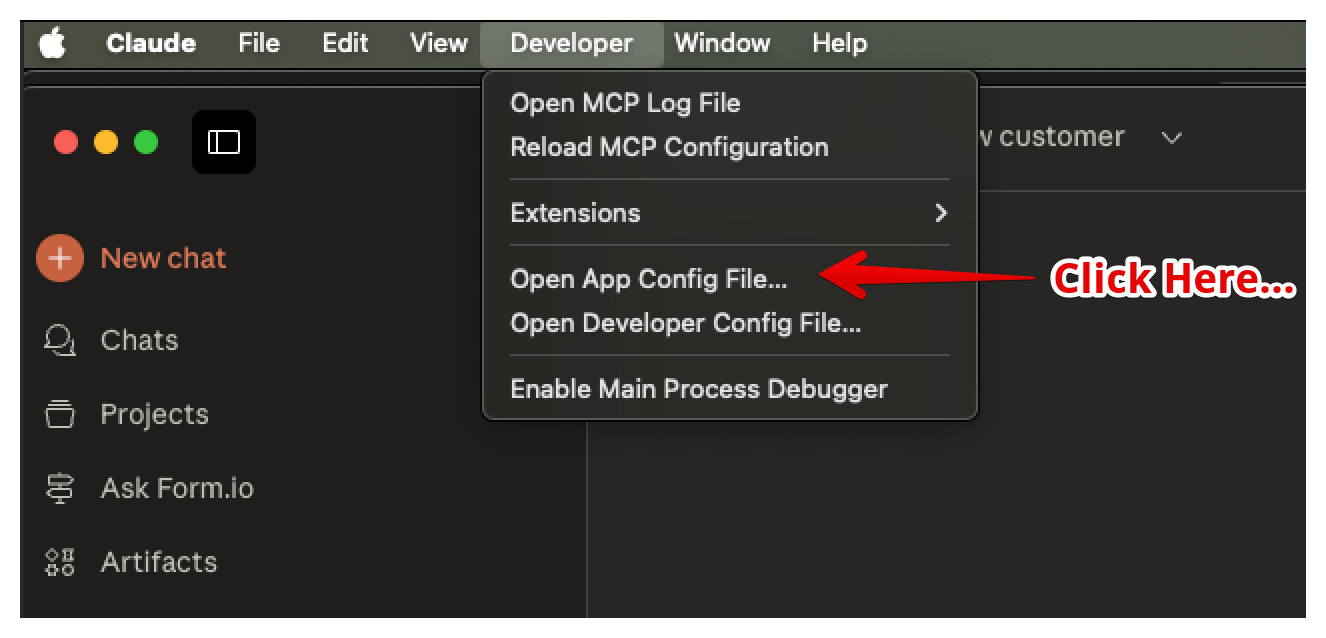
In Claude Desktop, open Developer → Open App Config File.
Add the UAG to claude_desktop_config.json:
{
  "mcpServers": {
    "formio-uag": {
      "command": "npx",
      "args": ["mcp-remote", "http://localhost:3000/mcp"]
    }
  }
}
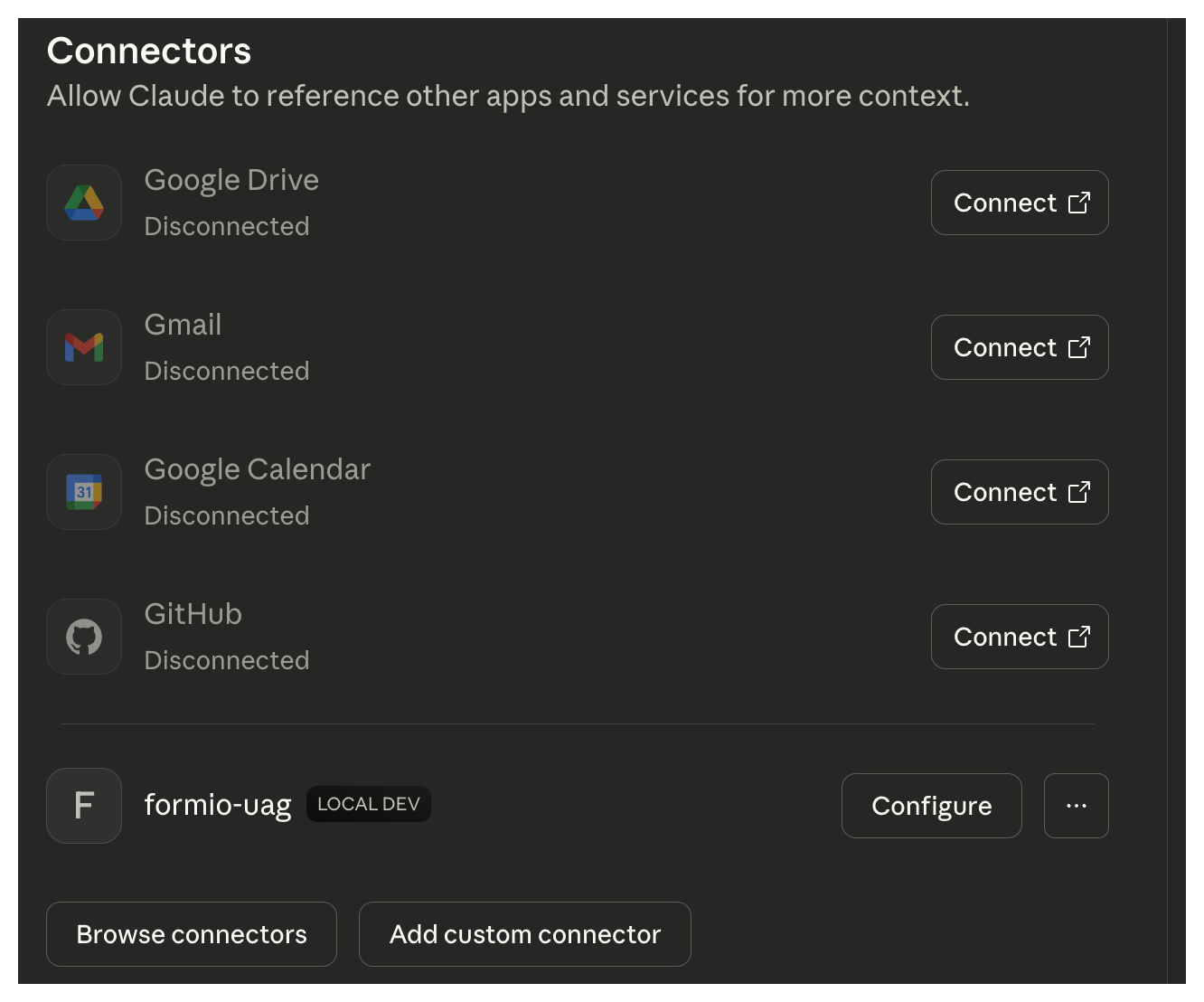
Quit and reopen Claude Desktop. If it shows the login page again, sign in. Open Settings: the formio-uag server is listed among your connections.
claude.ai remote connectors
A remote connector is called by Anthropic's servers, not by your machine, so the UAG must be reachable from the internet over HTTPS:
- Deploy the UAG behind TLS at a public URL, for example
https://uag.example.com. With the sample's nginx layout, publish the nginx port. - Make sure the OAuth discovery documents name that URL; the connector reads them and follows them. The UAG builds them from each request. Behind a proxy, set
TRUST_PROXYand have the proxy passHostandX-Forwarded-Proto, as the sample's nginx does; that giveshttpsonly when the proxy that talks to the UAG received HTTPS. When it did not (TLS ends at a load balancer or tunnel in front of nginx, which then reportshttp), setBASE_URL=https://uag.example.com. Check withcurl https://uag.example.com/.well-known/oauth-protected-resource. - Set
LOGIN_FORMto a login form URL the user's browser can load at the public address, such ashttps://uag.example.com/employee/login. - Keep
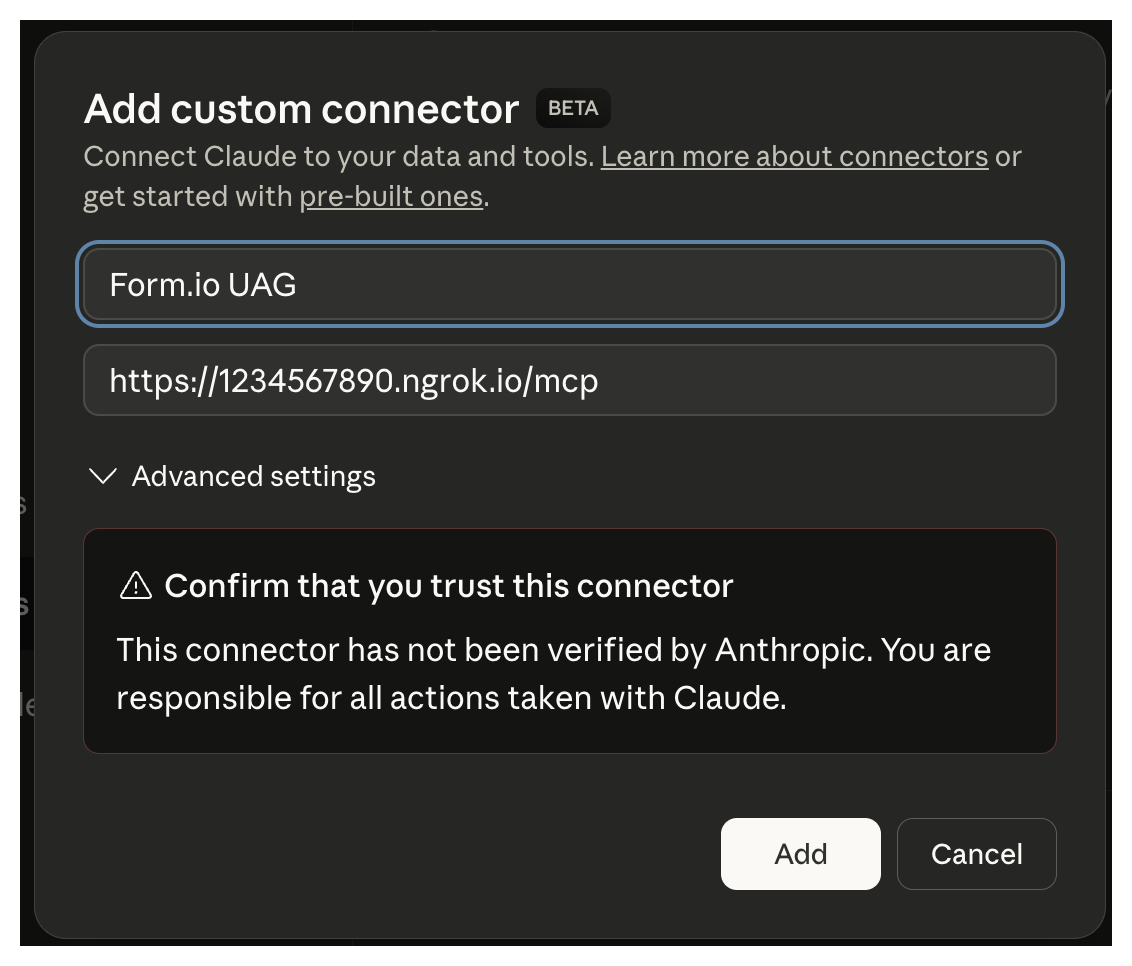
MCP_OAUTH=trueandMONGO. The UAG's database needs a license that includes the UAG (LICENSE_KEY). Without a usable database the UAG starts with sign-in off and says so in its log. See Deployment. - In Claude, open Settings → Connectors, choose Add custom connector, and enter a name and the MCP URL,
https://uag.example.com/mcp.
- Select Connect next to the connector. Claude opens the UAG's login page; sign in, and Claude returns as connected.
The connector discovers everything else itself: /.well-known/oauth-protected-resource, then /.well-known/oauth-authorization-server, dynamic client registration at /auth/register, and the PKCE exchange at /auth/token. A connector also works in Claude's mobile apps, including by voice.
For a local test of a remote connector, a tunnel (such as ngrok) to the nginx port works. Set LOGIN_FORM to the tunnel's login form URL. The tunnel ends TLS before nginx, so nginx tells the UAG http: set BASE_URL to the tunnel's https URL too, and recreate the UAG container.
Talk to your forms
Start a chat and say what you want, in your own words:
- "I would like to add a new customer."
- "I met a customer the other day. His name is Joe Smith and he is the CFO of Acme Inc."
- "What is the phone number of my customer Joe Smith?"
- "Joe Smith is already a customer. Add a note to call him next Tuesday."
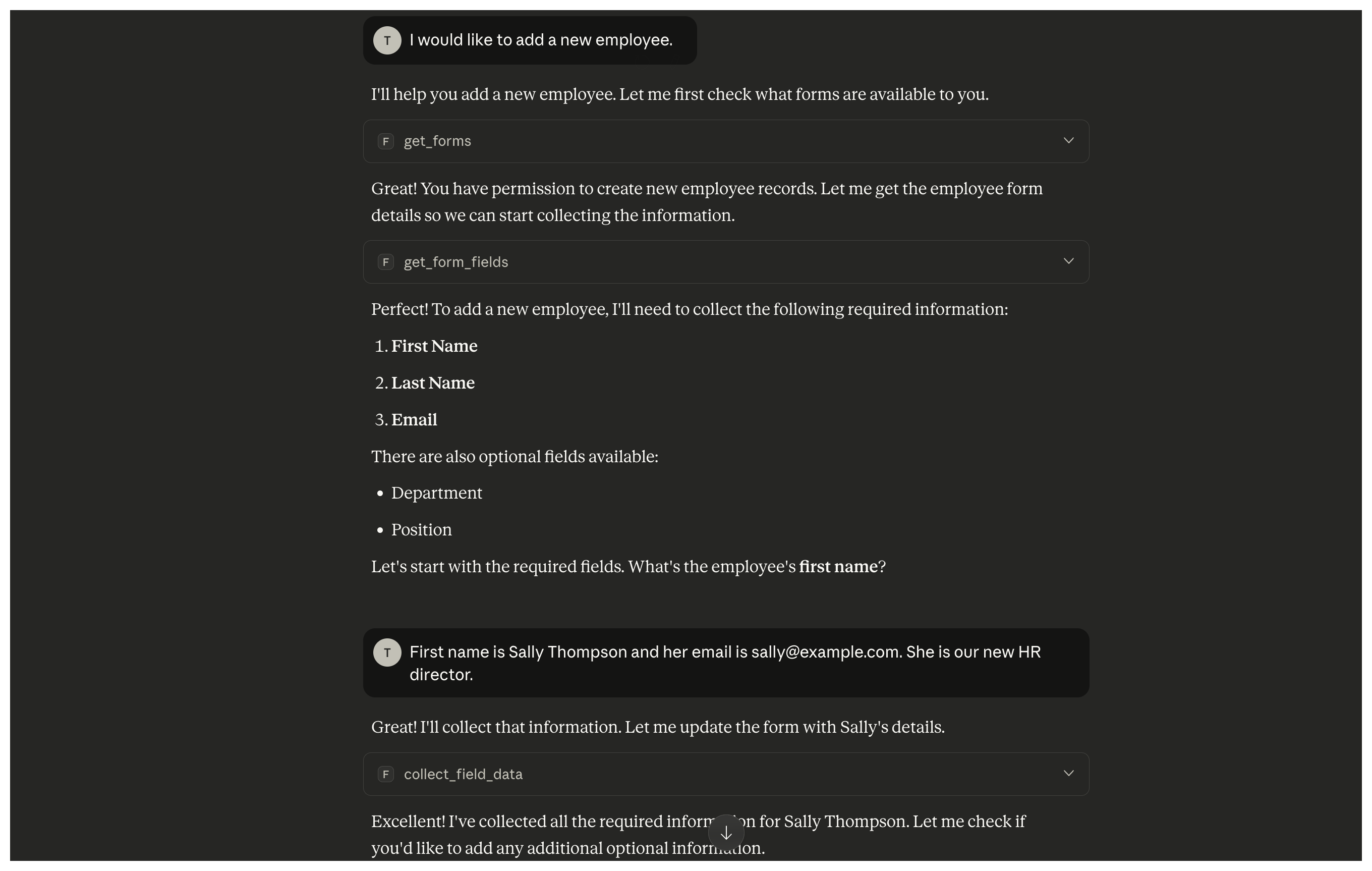
Behind each request Claude calls the UAG's tools: get_forms to find the Customer resource and check permissions, get_form_fields and get_field_info to learn the fields and their rules, collect_field_data to validate answers as they come, then confirm_form_submission and submit_completed_form. Searches use find_submissions, and changes submission_update. Watch the resource's Data tab in the portal to see records arrive.
Edit a resource in the portal (add a field, change an option, rewrite a description) and, within PROJECT_TTL seconds, Claude asks for the new field or offers the new option. Nothing in Claude changed.
Shaping the agent with a module
The sample is a module: a folder mounted at /app/module that carries the project template, actions, response templates and tool overrides. This one replaces the login page with its own (auth.authAppHtml), and overrides the get_forms description so Claude checks permissions before asking for fields:
const fs = require('fs');
const path = require('path');
module.exports = {
  config: {
    template: require('./project.json'),
    auth: { authAppHtml: fs.readFileSync(path.join(__dirname, 'authorize.html'), 'utf8') },
    responseTemplates: require('./templates'),
    toolOverrides: {
      get_forms: {
        description: 'Get a list of forms that the user has access to submit. You must call this tool before calling the `get_form_fields` tool to verify if the user has access to submit the form.',
      },
    },
  },
  actions: require('./actions'),
};
A module can also add MCP tools, and add form actions that run after the UAG has validated what the agent sent. See Modules.
Troubleshooting
| Symptom | Cause |
|---|---|
| The login page says it cannot load the form | LOGIN_FORM does not point at a login form's JSON endpoint that the browser can reach. |
| Claude lists no forms, or says a form does not exist | The form is not tagged uag, the user lacks access, or the project cache has not refreshed. Restart the UAG to re-register at once. Claude reads the tool list when it connects, so after tagging a new form, restart Claude Desktop or reconnect the connector. |
mcp-remote keeps signing in as the wrong user |
Delete ~/.mcp-auth and sign in again. |
| Claude asks to sign in again after a few hours | A sign-in lasts at most as long as the user's Form.io login token (Form.io's jwt.expireTime, 240 minutes by default). A client that does not refresh within twice JWT_EXPIRE_TIME (120 minutes by default) must sign in again too. Raise Form.io's setting for longer sessions. |
mcp-remote or a connector says the server does not support sign-in, and /.well-known/* answers 404 |
OAuth sign-in is off: MCP_OAUTH is not true, or the UAG has no usable database (MONGO unset, or no license to use it). The UAG's startup log says which. |
| A remote connector cannot authenticate | The discovery documents name a URL the connector cannot reach, often http behind a TLS proxy. Read /.well-known/oauth-protected-resource; set TRUST_PROXY behind a proxy, or BASE_URL to the public HTTPS URL. |
Every /mcp request returns 401 |
The client sends no bearer token, or its token is not valid: expired, or signed with a different JWT_SECRET (a restart without a fixed JWT_SECRET, or another instance). |
| The agent is refused an action the user expects to be allowed | The user's role lacks that permission on the form. Check its submission access. |
More in Troubleshooting.